Prepare one square file: 640×640 at minimum, 1024×1024 to be safe. Every platform then shrinks it into its own copies, and those numbers differ — Steam keeps 32×32, 64×64 and 184×184, Twitch serves the profile picture at 300×300, Telegram's own documentation lists crops at 160, 320, 640 and 1280 pixels, and Xbox refuses anything over 6,000 pixels or 25 MB while warning that under 512×512 will look blurry. None of them invents detail your file does not have.
The shortcut is to prepare nothing: every file in the avatar gallery is already 640×640 with clear space around the subject.
On this page
Short answer
- One universal source file: a 1024×1024 square, PNG or JPG. It covers every number we were able to verify.
- Steam stores three copies — 32×32, 64×64, 184×184 — and displays the avatar as a square.
- Discord, Twitch, Xbox and Telegram all display a circle. Whatever sits in the corners of your square is gone.
- Xbox is the only one publishing hard limits: 6,000 px and 25 MB maximum, under 512×512 goes blurry.
- Blur comes from the source file, not the platform. Upscaling never brings detail back.
What size an avatar should be on each platform
| Platform | Verified numbers | How it displays | What to upload |
|---|---|---|---|
| Steam | copies at 32×32, 64×64, 184×184 | square | 640×640 is plenty |
| Discord | serves any power of two from 16 to 4096 | circle | 1024×1024 |
| Twitch | profile picture at 300×300 | circle | 640×640 |
| Xbox | up to 6,000 px and 25 MB, blurry under 512×512 | circle | 1024×1024 |
| Telegram | 160×160, 320×320, 640×640, 1280×1280 | circle | 1024×1024 |
| VK | publishes no numbers | circle | 1024×1024 |
Where the numbers come from. Steam: our own measurement on 6 September 2026 — we downloaded the three avatar files from avatars.steamstatic.com (plain, _medium, _full) and read their dimensions. Steamworks documentation lists the three URLs but never states the pixels. Twitch: the same trick, since the profile image URL of a public channel ends in -profile_image-300x300.png and the file really is 300×300. Discord and Telegram: their own developer documentation. Xbox: Microsoft's "Change your Xbox gamerpic" support page.
Moving avatars are a separate line. Telegram documents them as square MPEG4 video up to 1080×1080, with 800×800 as the recommended resolution. Discord lists GIF alongside PNG, JPEG and WebP. Steam hands out animated avatars and frames for points but publishes nothing about user files.
The rule for animation is not about size at all. Anywhere motion is unsupported, the platform grabs the first frame — so the first frame has to work as a finished picture on its own.
Why avatars go blurry
Because you gave the platform fewer pixels than it wanted. Enlargement does not create detail, it smears the detail already there.
The common version goes like this. You found a picture in image search, opened the preview, saved it — and the preview was 200×200. Xbox will politely tell you the result may look blurry; the rest just show mush.
The second version is a file that travelled through a messenger. Forwarding recompresses images almost everywhere, so what reaches your profile is a copy of a copy. Download the original instead — every picture in our gallery has an arrow that opens the untouched file.
The third is self-inflicted: you cropped a square out of a large photo on a phone and ended up with 300×300 from the middle. You shrank it yourself, but the platform gets the blame.
What the circle crop takes away
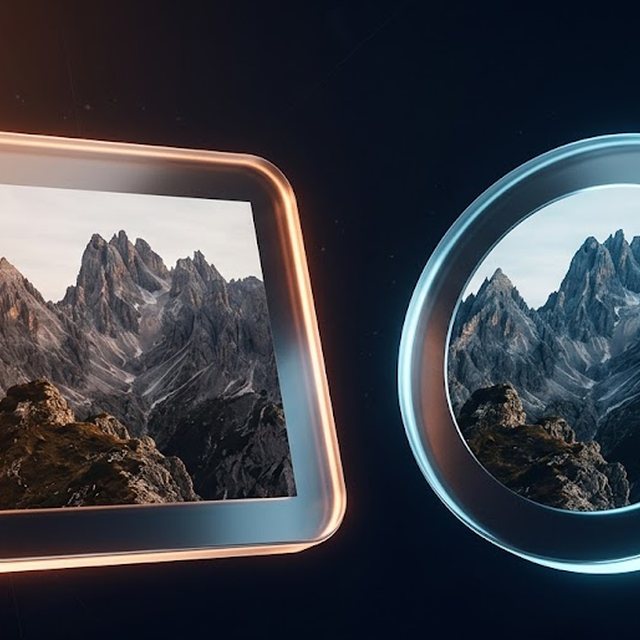
The corners. A circle inscribed in a square drops roughly 21% of the area, and every bit of it is corner.
In practice that kills diagonal compositions. Whatever you thought was the subject ends up outside the circle. What survives is the boring arrangement: subject in the middle, a margin of 10–15% of the side around it.
You can test this without a graphics editor. Set the picture, then look at your own profile from a phone in someone's friend list — at that size anything marginal disappears immediately.
One Steam detail worth knowing: it is the only platform of the six that shows a square avatar on the profile page, yet its chat and friend-list thumbnails are rounded anyway. Nowhere is it safe to rely on corners.
How to prepare your own picture
- Start big. At least 1024 on the short side. You can go down from there; you cannot go up.
- Crop to a square. Not a rectangle — a rectangle gets cropped by the platform, and rarely where you would have cropped it.
- Pull the subject away from the edges. Picture the inscribed circle. Anything outside it is already lost.
- Save as PNG or JPG. Those are the two formats Xbox names for uploading from a USB drive. Discord also accepts WebP and GIF, though an animated avatar only animates on some platforms.
- Do not chase 4,000 pixels. Above 1024×1024 nothing improves, and past 6,000 Xbox refuses the file outright.
If you have no picture of your own, the avatar gallery is already square, already 640×640 and already built with the circle in mind. The click-by-click routine for each platform lives in the companion guide, how to change your avatar everywhere.
Can you use a picture from image search
You can, and it buys you two separate problems.
The everyday one: whatever sits at the top of the results for "cool pfp" is already the avatar of several hundred other people. In a ten-slot lobby, running into your own twin is likelier than it sounds.
The legal one: game screenshots, fan art and anime characters belong to their studios. Platforms remove them on complaint, and Xbox states plainly that a custom gamerpic goes through verification and reverts to the previous one if it fails. For a streamer that is also a claim waiting to land on a recording.
Everything in our gallery was drawn for this site. No twins, no complaints — which is the only reason we drew them.
What we could not verify
Not every platform gives us something to point at, and we are not inventing numbers to fill the gaps.
VK. We found no public help page listing profile photo requirements: the help section returns a "please update your browser" stub, and the developer docs render through scripts and come back empty without them. So VK gets no numbers here, only the general square rule.
Steam. Valve publishes neither a maximum file weight nor a maximum upload size. The three stored copies are our measurement; the upload rules are not documented anywhere we could reach.
Twitch. The help portal is script-driven and serves no text without a browser. The 300×300 figure comes from a real profile image URL, not from Twitch's documentation.
Discord. What is documented is the CDN — how the platform serves the image back. Upload limits, file weight and the GIF rules without a subscription are not stated there.
What usually goes wrong
The avatar is blurry the moment it is uploaded. Cause: the source was smaller than the target — 256×256 against our 640×640, or against the 512×512 Xbox warns about. Fix: find the original file rather than a thumbnail and upload again.
Half the picture vanished. Cause: the subject sat in a corner and the platform cropped a circle. Fix: rebuild the composition around the centre and leave a margin.
You uploaded a rectangle and got a cropped face. Cause: automatic cropping takes the central square, and on that photo the centre was a shoulder. Fix: crop to a square by hand before uploading.
Xbox quietly restored the old picture. Cause: Microsoft's page says custom images are verified, and an unacceptable one reverts to the previous gamerpic or avatar. Fix: strip text, logos and anything borderline from the image, then try again.
The new avatar shows up in some places but not others. Cause: caching. Platforms keep serving the old copy for a few minutes, and other people see it for longer than you do. Fix: wait it out instead of re-uploading a third time.
The next thing worth fixing is the name sitting next to the picture: the Steam name generator builds inside the platform's own limit, and the rules and ideas for Discord are collected in Discord name ideas. If you would rather pick an avatar by mood than by pixel count, that is a separate piece — avatar ideas by vibe — and the background behind it lives in the wallpaper gallery.
FAQ
What avatar size works everywhere at once?
A square from 640×640 up, ideally 1024×1024. That covers every target we could verify: Steam stores 184×184 at most, Twitch serves 300×300, Telegram crops to 1280×1280, and Xbox warns that anything under 512×512 may look blurry.
Why does my avatar look blurry after uploading?
Almost always because the source file was smaller than the platform needs and got scaled up. The second most common cause is a file that was already compressed before you touched it — a search-result thumbnail or an image forwarded through a messenger.
What file will Xbox reject?
Microsoft's support page states that images over 25 MB or 6,000 pixels are not supported, and that images under 512×512 may appear blurry. Uploading a custom picture at all is limited to adult Microsoft accounts.
Does Discord really crop avatars to a circle?
The app displays them as circles, yes. The stored file stays square: by Discord's own developer documentation, its CDN serves any size that is a power of two between 16 and 4096, and all of them are square.
Can I use an image from a search engine?
Technically yes, practically it is two risks in one. Hundreds of other people already use that file, and characters from games and anime belong to their studios, so platforms remove them on complaint. Our avatars were drawn for this site, which removes both.