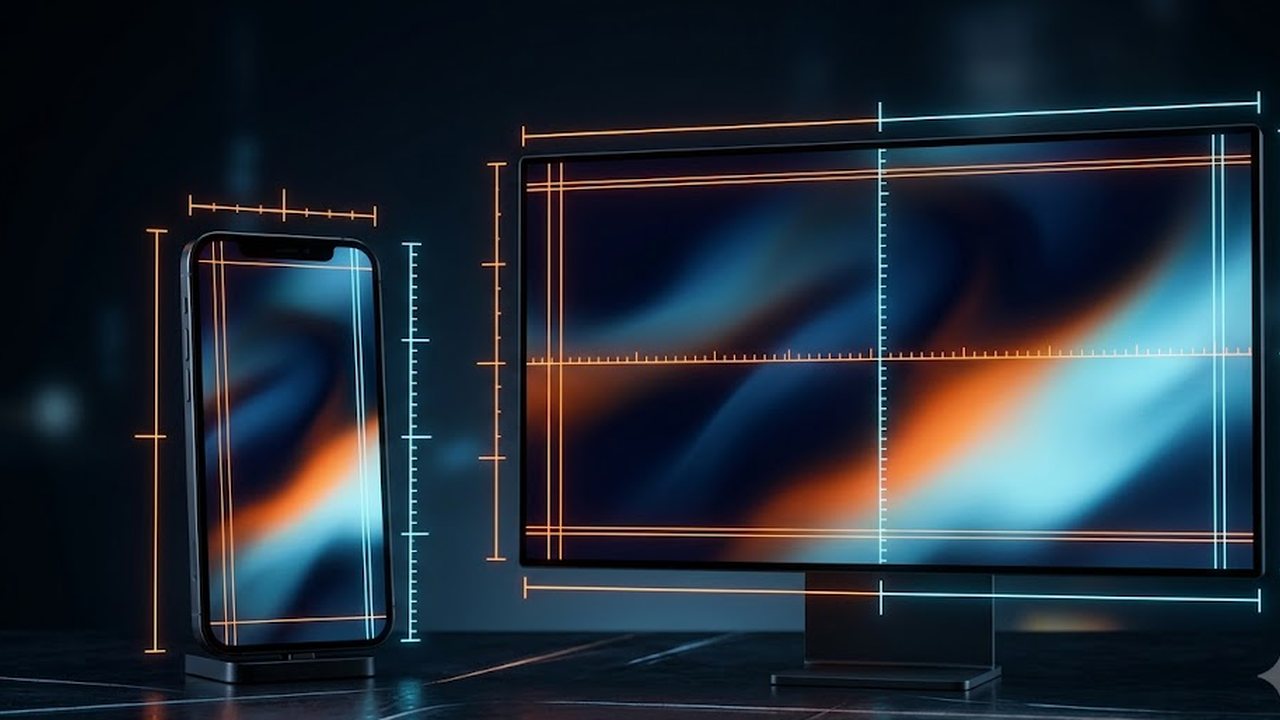
Use 1920×1080 for a monitor and 1080×1920 for a phone, and pay as much attention to the aspect ratio as to the numbers. Full HD is still the primary display for half of all players — 50.52% in Steam's hardware survey for August 2026, with another 21.86% on 2560×1440. Wallpapers do not stretch because a file is "low quality"; they stretch for two reasons only, either the file is smaller than the screen or its proportions differ.
The ready-made files are already cut for both cases: the wallpaper gallery holds 1080×1920 for phones and 1920×1080 for desktops.
On this page
Short answer
- Monitor: 1920×1080 lands exactly on half the market, 2560×1440 on another fifth of it.
- Phone: 1080 pixels wide, and expect the top and bottom to be trimmed on screens taller than 16:9.
- Nothing rescues a file smaller than the screen. Upscaling only enlarges the pixels you already had.
- Dark wallpapers save power on OLED and save nothing on LCD. That is screen technology, not the picture.
- A live wallpaper is a service drawing frames while you look at it. Google publishes no consumption figures.
What wallpaper sizes people actually have
Steam's hardware survey is one of the rare places with a fresh, large sample of display resolutions. Here is the primary-display breakdown for August 2026.
| Resolution | Share | Who has it | What to use |
|---|---|---|---|
| 1920×1080 | 50.52% | Full HD, the mainstream | a 1920×1080 file, pixel for pixel |
| 2560×1440 | 21.86% | 2K monitors | 1920×1080 upscales; smooth images survive it |
| 2560×1600 | 5.71% | 16:10 laptops | bars at top and bottom, or cropped sides |
| 3840×2160 | 4.98% | 4K | Full HD doubles in size and detail goes soft |
| 3440×1440 | 3.14% | 21:9 ultrawide | a 16:9 file loses the most here, at the sides |
| 1920×1200 | 2.76% | 16:10 desktops | nearly a match, thin bars remain |
| 1366×768 | 2.23% | older laptops | 1920×1080 scales down with no loss |
The useful takeaway: a single 1920×1080 file serves roughly three quarters of that list either exactly or by shrinking. Trouble only starts upwards — on 2K, 4K and ultrawide.
Our desktop wallpapers are deliberately smooth. Gradients, haze and soft light survive upscaling; fine grids and small detail turn to mush at 4K.
The same survey has a separate line for multi-monitor setups, and the most common combined area there is 3840×1080 — 47.62% of them, which is simply two Full HD panels side by side.
That saves people a lot of searching: a dual-monitor desk does not need a 3840-pixel file. It needs two 1920×1080 files, and the system spreads them across the screens itself — in Windows, by picking two images and using the Fill mode.
Why wallpapers stretch
Two reasons, both geometric.
The file is smaller than the screen. The system scales it up to desktop size. There are no new pixels to invent, so the old ones simply get bigger — which is what people call blur.
The aspect ratio does not match. 1920×1080 is 16:9. On a 16:10 or 21:9 screen the system picks the lesser evil: crop the edges or stretch along one axis. Horizontal stretching is the one you notice first, because circles turn into ovals and straight lines expose the skew.
It pays to know which of the two your system chose. Windows offers Fill, Stretch, Fit and Tile in its background settings: Fill crops the excess and keeps the proportions, Stretch breaks them. On any image with straight lines the difference is obvious.
How to find your own screen resolution
Ask the system, not the box the monitor came in.
- Windows: right-click the desktop → Display settings → Display resolution.
- macOS: System Settings → Displays.
- Android: Settings → Display → the resolution entry; some skins bury it under image quality.
- iPhone: no resolution setting exists, it is fixed per model.
Check the resolution, not the diagonal. A 27-inch screen can be Full HD or 4K, and the same file behaves very differently on the two.
Phone wallpapers: why 16:9 no longer covers it
A 1080×1920 file is exactly 16:9. Phone screens have been taller than that for years, and the system resolves the difference by trimming the top and the bottom.
Hence the composition rule: keep anything important in the vertical middle. A landscape with the horizon across the centre survives the crop; the same landscape with the horizon near the bottom edge does not.
The second phone-specific problem is that the home screen is already occupied. A clock, a weather widget, a search bar and four rows of icons take up nearly the whole display, and a densely textured picture makes all of them unreadable. A calm dark background works because it stops competing with the interface, not because it is fashionable.
The third: on most builds the lock screen and the home screen are set separately. The same picture reads differently on each — the lock screen has a large clock sitting over the top third.
What live wallpapers are and what they cost
A live wallpaper is not a file, it is a program. On Android it runs through WallpaperService, which creates an engine, and that engine draws what you see behind your apps.
That gives an honest answer on power: there is always a cost, because drawing frames is CPU and GPU work. How much depends on the specific wallpaper, its frame rate and how often you unlock the phone. Google publishes no measurements, and we are not going to invent a percentage.
What is documented concerns colour rather than motion. Android's dark theme page states that it reduces power usage by a significant amount, depending on the device's screen technology.
That caveat unpacks cleanly. On OLED each pixel emits its own light and a black pixel is switched off, so a dark image genuinely saves power. On LCD the backlight covers the whole panel regardless of what is displayed, and a dark wallpaper saves nothing at all.
Practical conclusion: take a dark background for readable icons and calmer eyes, and treat battery life as a bonus that only OLED pays out. Everything in the wallpaper gallery is dark for the first reason.
What usually goes wrong
The wallpaper is set and it looks soft. Cause: the file is smaller than the screen — 1280×720 on a 2560×1440 monitor, for instance. Fix: use a file at least as large as the display. Scaling down is lossless, scaling up is not.
The top of the image got cut off along with the subject. Cause: the phone screen is taller than 16:9 and the system trimmed the edges. Fix: choose compositions centred in the frame instead of ones with the subject hugging the border.
Black bars on an ultrawide monitor. Cause: the Fit mode places the whole image inside the screen and pads the rest. Fix: switch to Fill if you accept losing the edges, or find a 21:9 file.
Icons are unreadable. Cause: the busiest part of the picture ended up underneath them. Fix: use a background with an empty centre, or shift the crop.
A wallpaper grabbed from image search caused a claim on a screen recording. Cause: game frames and other people's photographs belong to their owners, and appearing in the background of a stream does not change that. Fix: use images you are allowed to show — ours were drawn for this site and are safe on camera.
With the background settled, the profile is the obvious next thing to match: square pictures live in the avatar gallery, their numbers are broken down in the avatar size guide, and the per-platform routine is in how to change your avatar everywhere. To pick by mood rather than by pixels, there is avatar ideas by vibe.
FAQ
What is the most common phone wallpaper size?
1080 pixels wide. Our files are 1080×1920, which is 16:9. Most modern screens are taller than that, so the system trims the top and bottom — which is why the composition should live in the middle of the frame.
What resolution should a desktop wallpaper be?
1920×1080 covers most people: Steam's August 2026 hardware survey puts it at 50.52% of primary displays, with another 21.86% on 2560×1440. On 2K and 4K a Full HD file gets upscaled, and it shows on hard edges long before it shows in gradients.
Why does my wallpaper look stretched and blurry?
Either the file is smaller than the screen and the system scales it up, or the aspect ratio does not match. A 16:9 image on a 21:9 monitor is either cropped or stretched horizontally, and straight lines are the first thing to give it away.
Do live wallpapers really drain the battery?
Google publishes no measurements, so we will not quote a percentage. The mechanism is documented: a live wallpaper is a running service that draws frames while its screen is visible, and CPU and GPU work is never free.
Does a dark wallpaper save power?
On OLED yes, because black pixels are simply off. Android's own documentation is careful about it: power usage drops by a significant amount, depending on the device's screen technology. On an LCD the backlight is always on and nothing is saved.