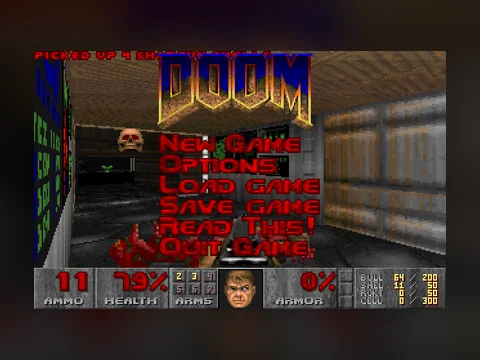
Doom's first episode is called Knee-Deep in the Dead and holds nine maps: eight main ones and a secret level you can only reach from the third. The controls are keyboard-only here, the shareware config ships with the mouse disabled, and there is no aiming up or down — the game does that part for you. Every number below was measured in the DOOM1.WAD v1.9 and DOOM.EXE files from the same archive that runs in our browser player.
Start with the layout: arrows move, Ctrl fires, space opens doors.
On this page
Short answer
- Nine maps: E1M1 Hangar, E1M2 Nuclear Plant, E1M3 Toxin Refinery, E1M4 Command Control, E1M5 Phobos Lab, E1M6 Central Processing, E1M7 Computer Station, E1M8 Phobos Anomaly and the secret E1M9 Military Base.
- The way into the secret level is a switch on E1M3. The normal exit and the secret one are two different wall switches on that map.
- Five skills, and they change how many monsters stand there rather than how hard they hit: E1M1 holds 4 on the easy settings and 29 on Ultra-Violence.
- The episode contains the shotgun, chaingun, rocket launcher and chainsaw. There is no plasma rifle and no BFG anywhere in these maps.
- Strafing is easier on comma and period: Alt with an arrow key gets swallowed by the browser and the system.
Controls: what to press in a browser
The layout comes from DEFAULT.CFG inside the game archive:
- Arrows — walk forward and back, turn left and right.
- Ctrl — fire.
- Space — open doors, hit switches, push suspect walls.
- Comma and period — strafe left and strafe right.
- Alt with an arrow — the same thing through a modifier.
- Shift — run.
- 1…7 — weapon select, Tab — automap, Esc — menu.
Two facts save a lot of irritation. First, the mouse is off in the config (use_mouse 0), so nothing turns when you move it — that is not an emulator fault. Second, Alt belongs to the browser and the window manager, so the modifier strafe is unreliable there. Comma and period are the answer.
And the rule that applies to the whole page: the keyboard only goes into the game after you click the black screen. Before that, arrows scroll the article.

The nine levels of episode one
The par time is compiled into the executable and shown on the intermission screen after every map. The number of secret sectors is what your secrets percentage at the end of a level is calculated from.
| Level | Name | Par | Secret sectors |
|---|---|---|---|
| E1M1 | Hangar | 0:30 | 3 |
| E1M2 | Nuclear Plant | 1:15 | 6 |
| E1M3 | Toxin Refinery | 2:00 | 7 |
| E1M4 | Command Control | 1:30 | 3 |
| E1M5 | Phobos Lab | 2:45 | 9 |
| E1M6 | Central Processing | 3:00 | 4 |
| E1M7 | Computer Station | 3:00 | 4 |
| E1M8 | Phobos Anomaly | 0:30 | 1 |
| E1M9 | Military Base | 2:45 | 2 |
Par is not a record, it is a developer's pace through a map he knows by heart. A first run takes three to five times longer, and that is the normal outcome.
E1M8 deserves its own line. That map has no exit in the usual sense at all: the episode ends when the two barons die, and their death fires a script marked in the map data with the number 666.
How do I find secrets, and where is the ninth level?
The secret exit is on E1M3, Toxin Refinery, and in the map data it is the only switch of its kind. It looks different from the normal exit — the two are separate wall switches with different textures, and the one you want sits away from the final room.
Finding secrets in Doom comes down to four habits that work on every map of the episode:
- Look for walls of a different colour. A stash is nearly always marked by a texture that does not match its neighbours, or nobody would ever find it.
- Press space at suspicious walls. Some caches open like a door, others drop down.
- Open the automap on Tab. It shows rooms you have not entered and corridors that lead nowhere.
- Go back after hitting a switch. Half the caches open silently, somewhere else entirely.
The richest map of the episode is E1M5 Phobos Lab with nine secret sectors in its data. The poorest is E1M8, which has exactly one.
Which skill should you pick?
There are five, from "I'm too young to die" up to "Nightmare!", and the hardest one warns you on selection that it "isn't even remotely fair" — that string sits in the executable.
What changes is the density of monsters, not their damage. Here is how many are placed for single player on every map of the episode:
| Level | Two easy skills | Hurt me plenty | Ultra-Violence |
|---|---|---|---|
| E1M1 | 4 | 6 | 29 |
| E1M2 | 20 | 41 | 79 |
| E1M3 | 34 | 74 | 131 |
| E1M4 | 21 | 54 | 85 |
| E1M5 | 24 | 91 | 131 |
| E1M6 | 50 | 118 | 177 |
| E1M7 | 32 | 84 | 150 |
| E1M8 | 21 | 27 | 41 |
| E1M9 | 33 | 72 | 103 |
The first row explains the old story about the "empty Hangar": on the easy skills four enemies stand there, while Ultra-Violence adds a group of fifteen shotgun sergeants who do not exist on lower settings at all.
Hurt me plenty is the sane choice for a first run. Ultra-Violence makes sense on the second pass, when the maps are familiar, and on Nightmare the monsters additionally move and attack faster than normal.
The arsenal: what is here and what is not
By the map files of the free episode: the shotgun is already on E1M1, the chaingun first appears on E1M2, the rocket launcher on E1M3. The chainsaw shows up on four maps — E1M2, E1M3, E1M5 and E1M9.
There is no plasma rifle and no BFG in episode one.
That is not a cut, it is the business model: both weapons lived in the second and third episodes, which were sold separately. How that selling worked is unpacked in how shareware worked.
The practical consequence: the shotgun is the weapon of this episode and the chaingun is for long corridors. Rockets are worth saving for the barons on E1M8, because there is little else worth spending them on.

What changed between Doom and now
The comparison is useful less for nostalgia than for understanding why your hands do the wrong things at first.
No vertical aim. The mouse in Doom turns left and right only, and height is resolved by the game. The habit of dragging a crosshair upward is dead weight here.
No reload. Ammo runs out, but there is no reload command: a pause in firing is lost tempo, not technique.
No spread or recoil in the modern sense. The shotgun throws the same cone standing still or sprinting. Stopping before you shoot, which is mandatory in CS2, actively hurts here.
Higher movement speed. The marine outruns almost any modern protagonist, and survival is built on movement rather than cover.
Sensitivity is barely a setting. The idea of centimetres per 360° arrived much later: turning is bound to a key here, so there is nothing to carry over. If you play both eras, keep your sensitivity in current games in order and leave the emulator alone.
What did not change: the automap as a tool, secrets as a reward for attention, and a skill setting that alters the game more than any graphics option.
What usually goes wrong
Arrows scroll the page. Symptom: the marine stands still, the article moves. Cause: focus stayed on the page. Fix: click inside the black screen.
Strafing does not work. Symptom: Alt plus an arrow does nothing sideways. Cause: the browser and the system take Alt first. Fix: use comma and period, which are proper strafe commands in the default config.
Hunting for the mouse. Symptom: the view will not turn. Cause: the shareware config disables the mouse. Fix: play from the keyboard; switching it on in SETUP.EXE is barely worth it, since the setting will not survive a page reload.
Walking past the secret level. Symptom: E1M4 follows E1M3 directly. Cause: you pressed the ordinary exit. Fix: before the final room, walk the map with the automap open and find the second switch.
Starting on Ultra-Violence. Symptom: death on E1M1 to those sergeants. Cause: the top skills add whole groups of enemies. Fix: clear the episode on Hurt me plenty and chase records afterwards.
Losing progress. Symptom: saved, refreshed, back to the start. Cause: the emulator file system lives in the tab's memory, as explained in how these games run in a browser. Fix: play the episode in one sitting — the par times of all nine maps add up to seventeen minutes, so there is room even for a slow first run.
Two sensible directions after episode one: look at where it started, in Wolfenstein 3D, or at where the series went a year later, in DOOM II with the super shotgun. If you would rather change genre entirely, the classics are sorted in the best old DOS games, and the machinery behind the browser tab is described in the technical guide.
FAQ
How many levels are in the free episode?
Nine: eight main maps from E1M1 Hangar to E1M8 Phobos Anomaly, plus the secret E1M9 Military Base. The only way into the secret map is a separate switch on the third level.
Why does the mouse do nothing?
The config shipped inside the shareware archive has the mouse switched off — the line reads use_mouse 0. The controls were built for a keyboard, and Doom has no vertical aim at all: the game handles height by itself.
How do I strafe when the browser steals Alt?
Use comma and period. In Doom's default config those are separate strafe-left and strafe-right commands, and unlike Alt with an arrow key they collide with neither the browser nor the operating system.
Which skill is right for a first run?
Hurt me plenty, the third of five. By the episode's own map files it carries roughly half the monsters of Ultra-Violence — on E1M6, for example, 118 against 177.
Do the cheat codes work?
Yes, they are official and were built in by the authors: IDDQD turns on invulnerability and IDKFA hands over weapons and keys. Type them during play; on a phone the on-screen pad has a Keyboard button for exactly this.